The Google Calendar todo app that actually syncs.
Doneday is a weekly planner and time tracker for Google Workspace with true two-way sync to Google Tasks and Google Calendar. Plan your week from your backlog, then track time automatically from the tasks you finish and the meetings on your calendar.
Free during beta · No data lock-in · Your tasks stay in Google
Google Tasks is great — until you need to plan a week.
Most "Google Tasks alternatives" make you migrate your data into yet another silo. Doneday extends the tools you already use.
No weekly view
Google Tasks shows a flat list. There's no way to look at your week and rebalance work across days.
Tasks ≠ Calendar
Scheduling a task on your calendar means copy-pasting it as an event. They drift apart immediately.
No time tracking
You can see what you did today on your calendar, but rolling it up into weekly time by project is manual.
One planner. Native to your Google Workspace.
Everything below is built on the official Google APIs, so your data stays where it already lives.
Two-way Google Tasks sync
Lists, tasks, subtasks, due dates and completion status mirror live between Doneday and Google Tasks.
Learn about Google Tasks syncTwo-way Google Calendar sync
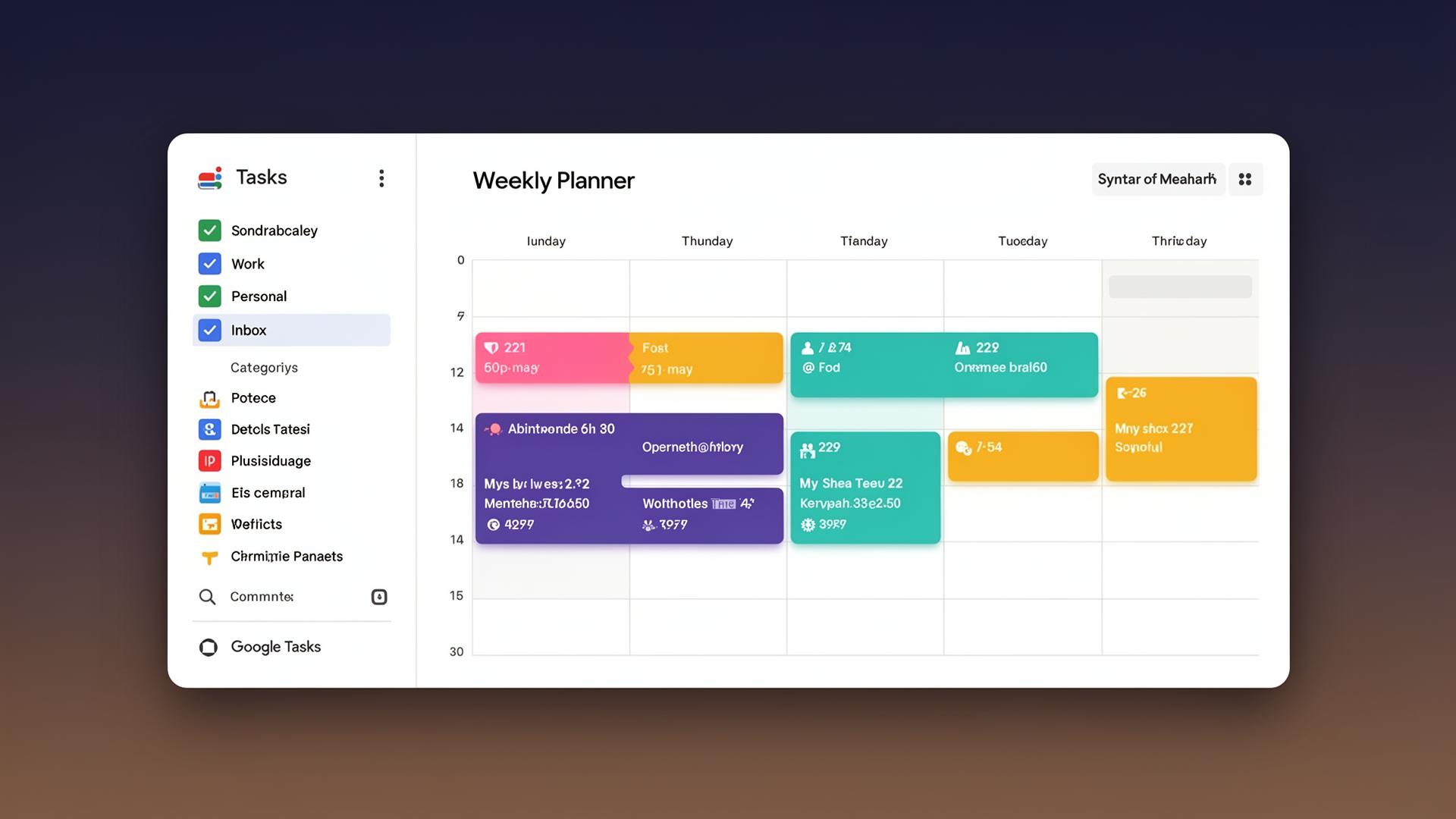
Drag a task onto a day and it becomes a real Calendar event. Move the event anywhere — the task moves with it.
See how calendar sync worksPlan your week from your backlog
A calm weekly board that sits next to your Tasks lists. Triage, schedule and re-plan in seconds.
Learn about weekly planningTime tracking, automatically
Finished tasks and Calendar events roll up into weekly time reports by project, category and client.
See how time tracking worksPlays well with Gmail
Turn an email into a Google Task in Gmail — it lands in Doneday's backlog, ready to schedule.
Learn about Gmail tasksPlays well with the ecosystem
Zapier, Make, Apple Calendar, Outlook — anything that already speaks Google Tasks or Calendar speaks Doneday.
See how integrations workFull focus. No distractions.
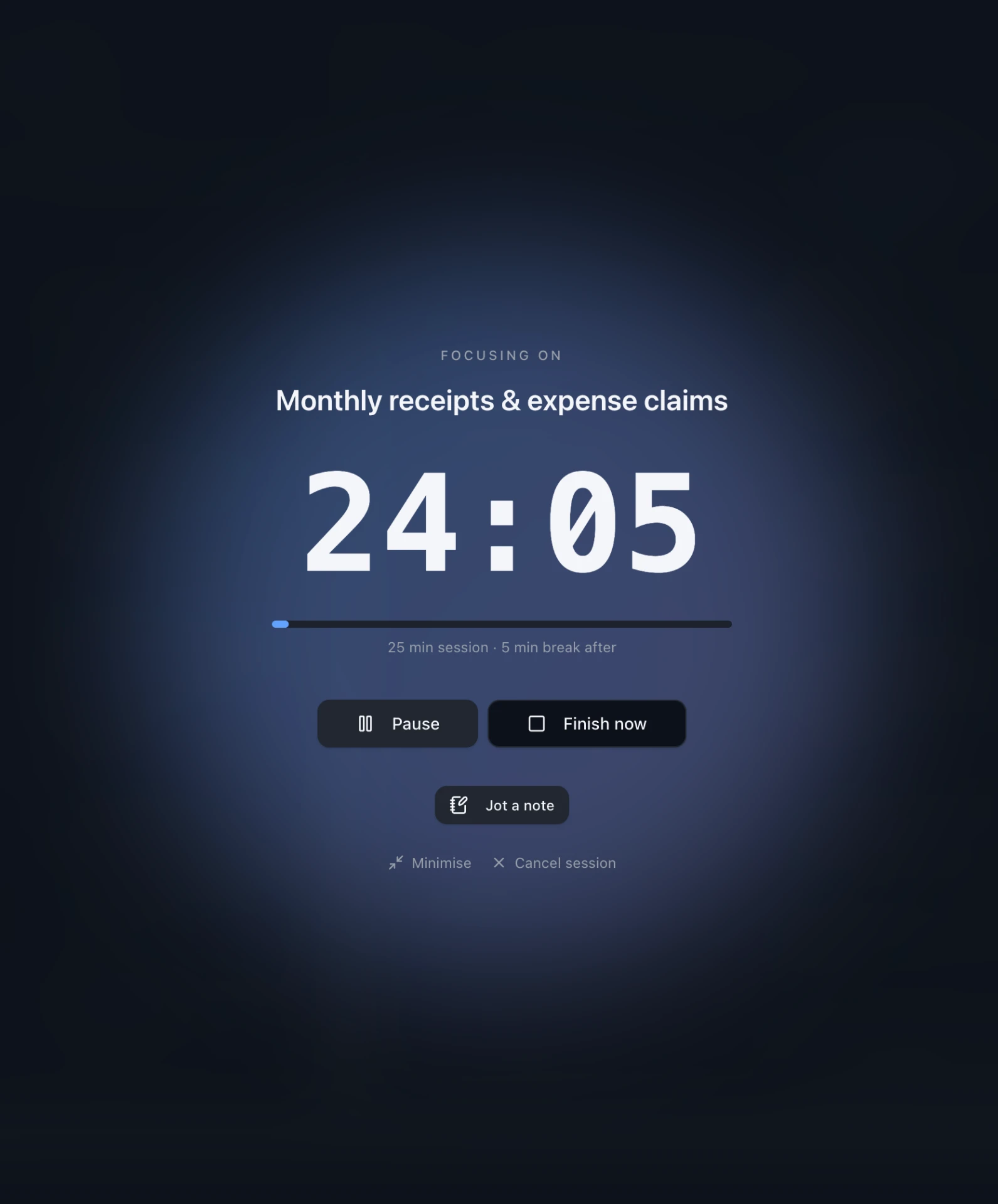
Planning your week is half the job — the other half is actually doing the work. Start a Pomodoro session on any task in one tap, on your phone or your laptop, and Doneday clears the screen down to a single countdown.
- One tap to start: 15, 25 or 50 minutes, with an optional break after.
- Not sure what to work on? Doneday suggests the right task next, and tells you why.
- Jot notes mid-session — they land on the task when the timer ends.
- Minutes are tracked to the task automatically, straight into your weekly report.
- Close the task at the end and get a nudge into the next round.
Up and running in under a minute
- 1
Connect your Google account
Sign in once. Doneday reads your existing Tasks lists and your Calendars — no migration, no import.
- 2
Plan your week
Drag tasks from your backlog onto days of the week. They appear as Google Calendar events instantly.
- 3
Track time without a timer
Mark tasks done, run your meetings — Doneday turns them into a clean weekly time report.
Doneday vs. Google Tasks vs. Todoist
How Doneday compares for people who live inside Google Workspace.
| Capability | Google Tasks | Todoist / TickTick | DonedayPick |
|---|---|---|---|
| Two-way Google Tasks sync | Native | Limited / one-way | Native two-way |
| Two-way Google Calendar sync | View only | Add-on, partial | Native two-way |
| Weekly planning board | — | Yes | Yes, calendar-aware |
| Time tracking from calendar | — | Manual timer | Automatic |
| Data lives in Google | Yes | No, in their app | Yes |
| Works with Gmail / Workspace add-ons | Yes | Limited | Yes |
Frequently asked questions
Everything about syncing, scheduling and time tracking with Google Tasks and Google Calendar.
How does Doneday sync with Google Tasks?+
Doneday connects to your Google account and uses the official Google Tasks API for real two-way sync. Every list, task, subtask, due date and completion status stays mirrored: change something in Doneday and it appears in Google Tasks, Gmail's task panel, or any third-party app that reads Google Tasks — and vice versa.
Can I schedule Google Tasks on my Google Calendar?+
Yes. Drag any task from your backlog onto a day in Doneday's weekly planner and it becomes a real Google Calendar event on your selected calendar. Reschedule, resize or delete the event from Calendar on any device and Doneday reflects the change instantly.
How do I add a to-do list to Google Calendar?+
Open Doneday, pick a Google Tasks list from your sidebar, and drag its tasks onto the weekly board. Each scheduled task becomes a real Google Calendar event, so your to-do list shows up on Google Calendar across every device — without enabling the basic Tasks overlay or copy-pasting events.
How do I turn a Google Calendar event back into a task?+
Any event you scheduled from Doneday stays linked to its task. Move or resize it in Google Calendar and the task's schedule updates; mark the task complete in Doneday or Google Tasks and the event is marked done. You can also drag a task off the calendar to send it back to the backlog.
Does Doneday support recurring tasks and recurring calendar events?+
Yes. Recurring Google Tasks show up in Doneday with their next due date, and scheduling them creates calendar events that respect the recurrence rules of the calendar you write to. Edits made in Google Calendar to a single occurrence or the whole series sync back into Doneday.
How does time tracking work with Google Calendar?+
Doneday treats your finished tasks and the events already on your Google Calendar — meetings, focus blocks, anything — as time entries. Tag entries by project or category and you get weekly time reports without running a separate timer.
Can I plan my week from my Gmail inbox?+
Yes. Use Gmail's built-in 'Add to Tasks' action on any email and the task lands in your Google Tasks backlog. Doneday picks it up immediately, ready to drag onto a day on your weekly board and onto your Google Calendar.
Does Doneday work with shared Google Calendars and team Tasks?+
Yes. Doneday lists every calendar you can write to — including shared team and secondary calendars — so you can schedule a task onto the right one. Shared Google Tasks lists appear in the sidebar with their original permissions intact.
Is Doneday a replacement for Google Tasks?+
No — Doneday extends Google Tasks rather than replacing it. Your data stays in Google. That means everything that already integrates with Google Tasks and Google Calendar (Gmail, Workspace add-ons, Zapier, third-party calendar apps) keeps working alongside Doneday.
What happens to my data if I stop using Doneday?+
Nothing. Tasks live in Google Tasks and events live in Google Calendar — Doneday never copies them into its own silo. Disconnect at any time and every task, due date and event remains exactly where it was.
Does Doneday have a Pomodoro timer?+
Yes. Start a focus session on any task with one tap on mobile or desktop, pick 15, 25 or 50 minutes, and Doneday runs a full-screen distraction-free timer with an optional break after. You can jot notes while the timer runs, and the minutes are logged to that task automatically.
Does the Pomodoro timer track time to my tasks?+
Every finished focus session adds its minutes to the task you worked on, so your weekly time report fills in as you work. After each session Doneday asks what you got done and what's next, and lets you close the task right there.
Can Doneday suggest what to focus on next?+
Yes. Start a session without picking a task and Doneday recommends what to work on next — with a short reason for each suggestion based on due dates and priority. The same suggestions appear when you close a task, so you can go straight into the next round.
Is there a free plan?+
Yes. You can sign in with your Google account and use the weekly planner, two-way sync, and time tracking for free during the public beta.
Get your week back. Without leaving Google.
Sign in with your Google account and connect Doneday to your existing Tasks and Calendar. Takes about a minute.
Free during beta · No data lock-in · Your tasks stay in Google